
Case study A · Claude + Zoho · Live since September 2026
A shipping app built with Claude, connected to Zoho.
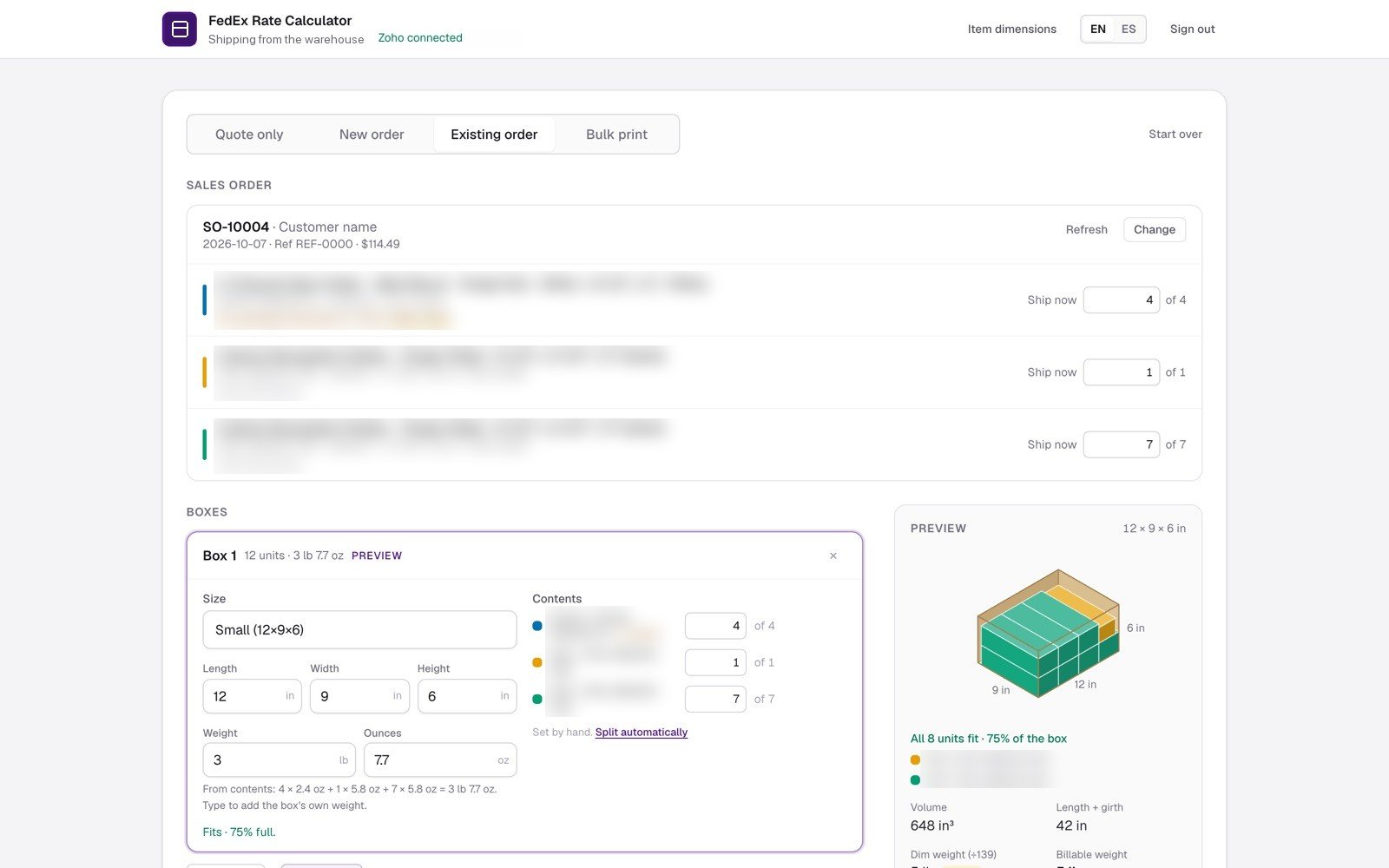
We built a shipping app with Claude and connected it to Zoho Inventory. It prices FedEx options, prints labels, and writes each shipment back to the order.
13
days from first line of code to live FedEx labels
199
labels on 118 shipments in the first 11 shipping days
87%
of Zoho shipments now go through the app
1 in 4
shipments are multi-box, up to 10 boxes on one screen
1 · the problem
Each FedEx shipment meant switching between tools: find the order in Zoho, choose a box, price it on the carrier account, buy the label, then re-enter the package, tracking number and shipping charge in Zoho. Multi-box orders repeated those steps for every box.
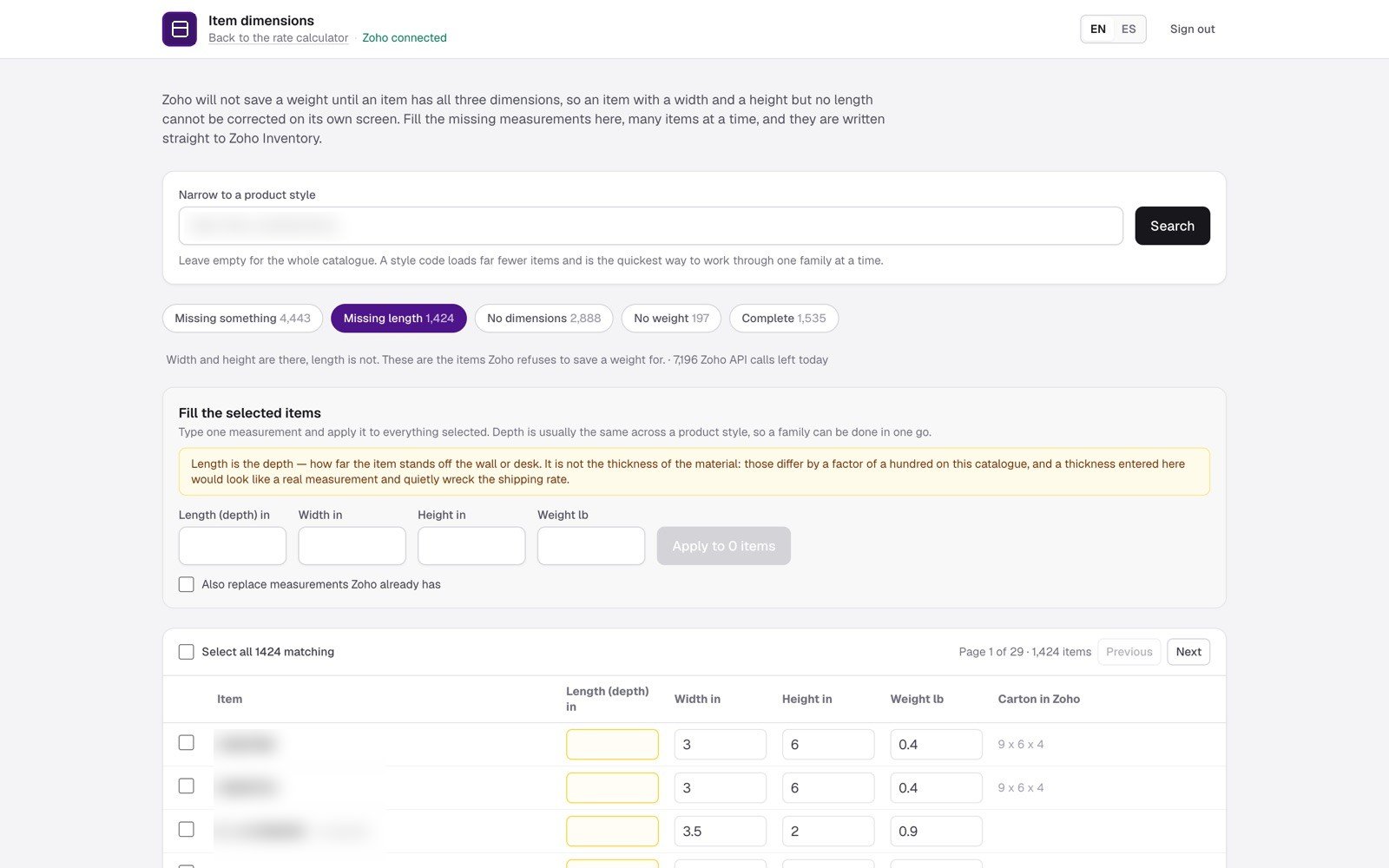
The item catalogue had gaps too. Of 5,978 active items, 4,443 were missing at least one measurement.
2 · what we built
- One screen from order to label. Auto-packs items into stock boxes, with a 3D fit preview.
- All FedEx options, sorted by price. Rates from the client’s own account, cheapest and fastest marked.
- Write-back to Zoho. Packages, tracking, charge and packing slip recorded on the order.
- Warehouse printing. Zebra labels, in bulk, in English or Spanish.
- Safe retries. A failed run picks up where it stopped, with no duplicate labels.
3 · data cleanup
We added a bulk editor. Pick a gap type and product family, enter one measurement, and the app writes it to every selected item in Zoho, then checks each save.
Zoho stays the system of record. The app is simply the fastest way to get an order out of the door and back into Zoho.